 Stepdy
The route and the numbers
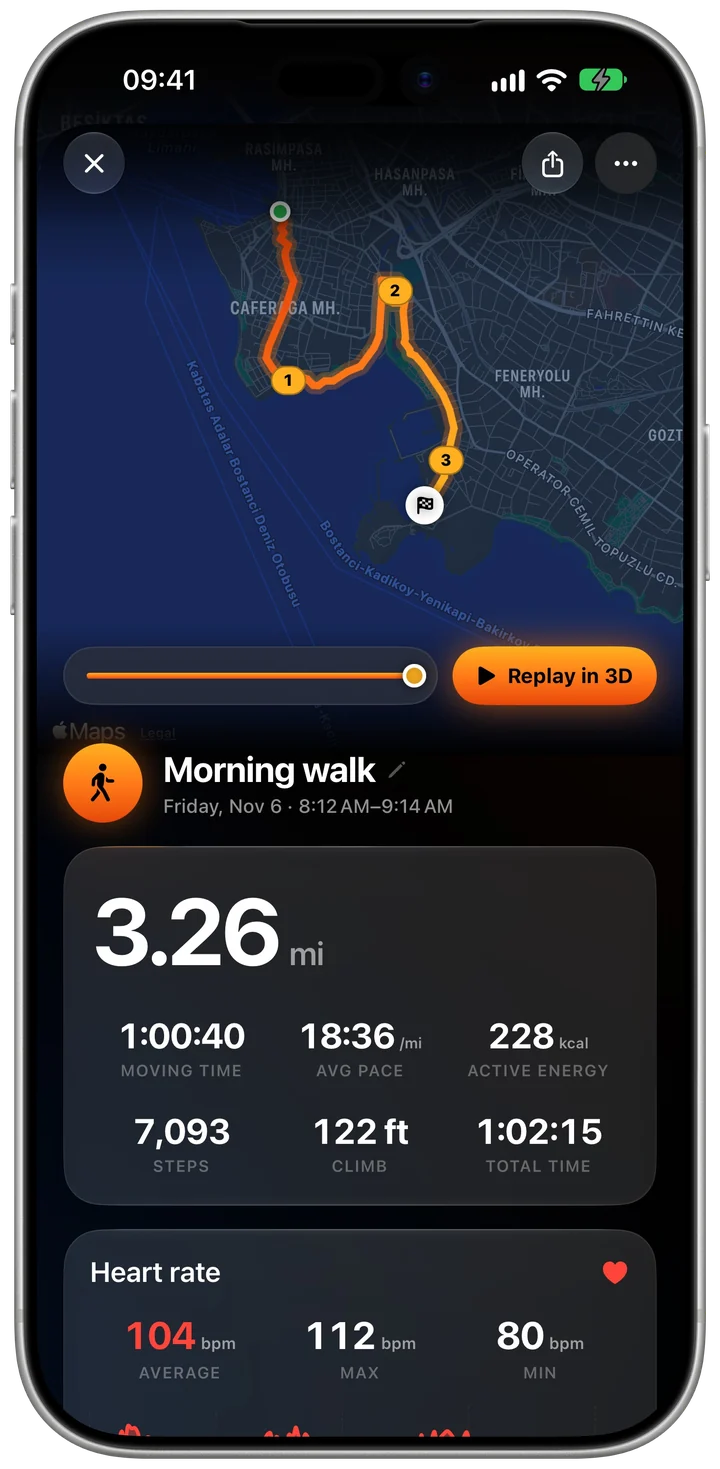
Distance, moving time, pace, steps, climb and energy, with your route on the map. The free plan shows the first half of the route on this screen; Pro shows all of it and replays it in 3D.
Walks and runs
Start a walk, run, hike or ride from the Activities tab and Stepdy draws the route with GPS while you go, with the screen locked if you like. Afterwards you get the map, pace, splits, climb and, with an Apple Watch, your heart rate.
 Free · No ads · No sign-up
Screenshots: Stepdy on an iPhone simulator, with sample data.
82 kinds, from walking and running to hiking, cycling and indoor workouts.
Outdoor activities use GPS for the route, distance and pace. The phone can stay in your pocket with the screen locked.
Splits, an elevation chart and heart-rate zones on the detail screen; your week, your longest and your fastest on the Activities tab.
Distance, moving time, pace, steps, climb and energy, with your route on the map. The free plan shows the first half of the route on this screen; Pro shows all of it and replays it in 3D.
Stepdy Pro draws each route to the finish on the detail screen and replays it in 3D.
It records runs, walks, hikes, rides and other activities with GPS, but it is built around daily steps and walking with friends. If you want training plans or coaching, a dedicated running app will suit you better.
No. The iPhone records the route, distance, pace, steps and climb. An Apple Watch adds live heart rate and energy and saves the activity to Apple Health as a workout.
Not unless you post the activity to the Feed. When you do, the map is included unless you switch it off, and the first and last 200 m are left off so your start and finish stay private.